Rdio Scanner is an open source software that ingest and distribute audio files generated by various software-defined radio recorders. Its interface tries to reproduce the user experience of a real police scanner, while adding its own touch.
HomeGrownAlerts maintains Primary and Alternate feed options for your listening enjoyment.
- Listen on the Web
The easiest way to listen with Rdio Scanner is simply through your web browser. Click on the link for the feed you wish to listen to and click on the LIVE FEED button to start scanning.
Click on the SELECT TG option to customize your listening experience.
- Get the App on Android and iPhone
If you prefer to run the application natively on your device, Rdio Scanner is available on both the Google Play Store and the Apple Store.
*Please see the directions below on how to configure the Rdio Scanner App to listen to both our primary and alternate feeds.
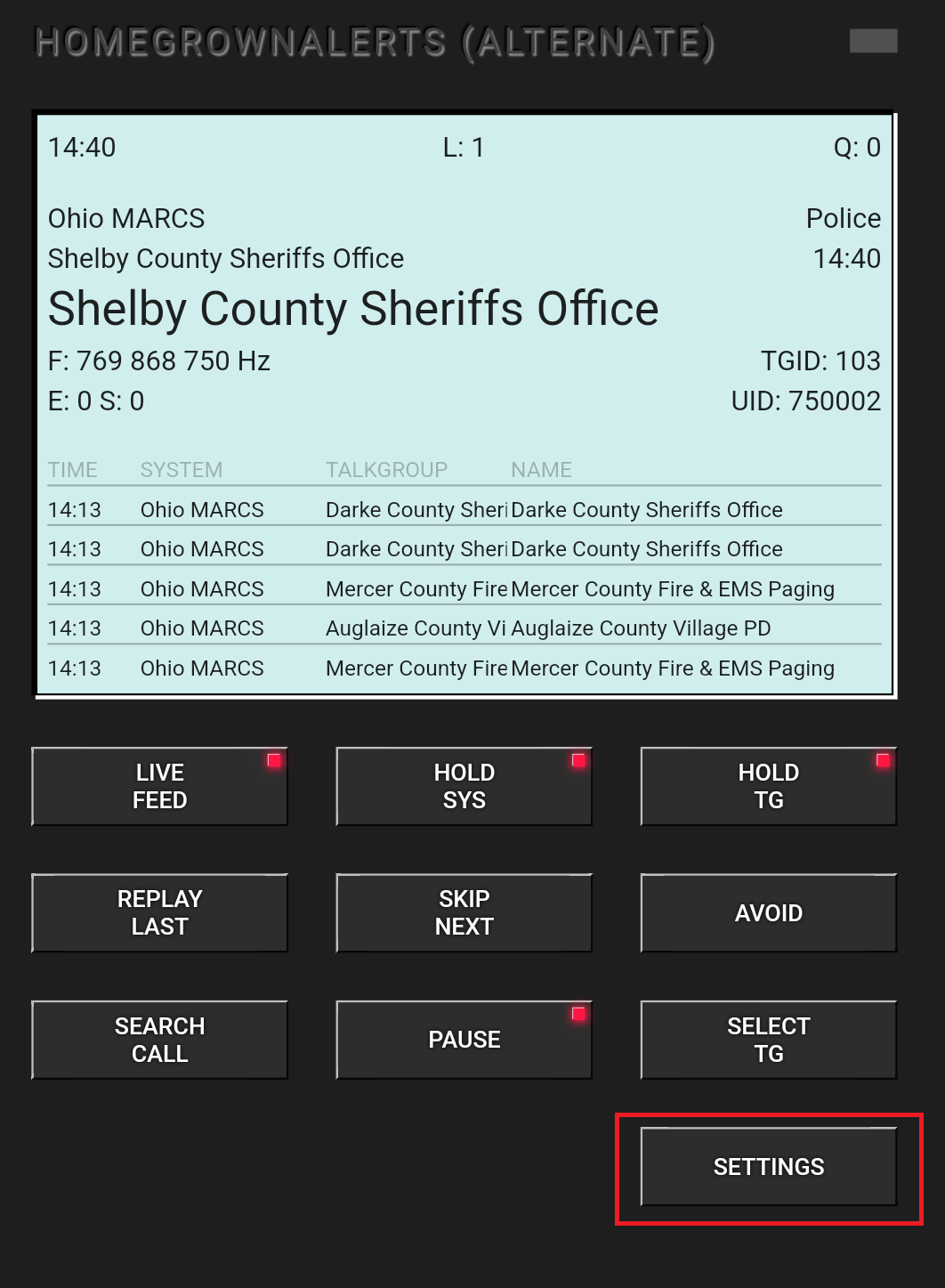
Download and Launch the App on your device
Click on Settings Click on Add a new server
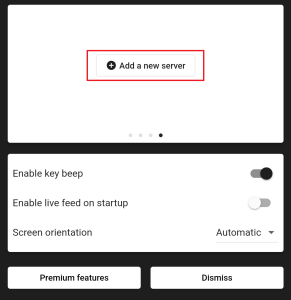
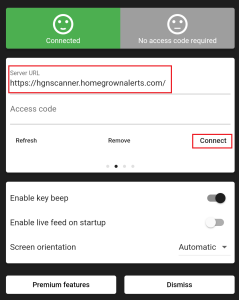
Primary Server
Enter https://hgnscanner.homegrownalerts.com in the Server URL box
Click on Connect – If the server is up, the top left square will turn green.
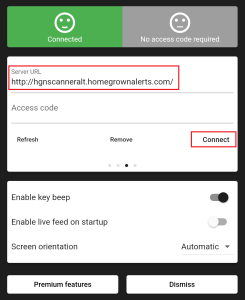
Alternate Server
Enter http://hgnscanneralt.homegrownalerts.com in the Server URL box
Click on Connect – If the server is up, the top left square will turn green.
Note: You can add multiple servers to the Rdio Scanner app, so be sure to add both our Primary and Alternate servers.
Once you have completed adding the servers, you can go back to the main app window and click on LIVE FEED to begin listening.
Click on the SELECT TG option to customize your listening experience.